
Download COPIC Collection – graphic design tool, digital illustration app, color palette creator, Android drawing app, professional illustration software, digital art tool, Copic color library, creative design app, art software for Android, drawing app for artists
Overview
COPIC Collection es una aplicación gratuita de ilustración digital desarrollada por Too Corporation para dispositivos Android. Diseñada pensando en profesionales creativos y artistas digitales, el software ofrece un conjunto completo de herramientas para producir dibujos e ilustraciones de alta calidad directamente en plataformas móviles. La aplicación tiene como objetivo ayudar a los usuarios a crear obras detalladas al ofrecer acceso a una vasta biblioteca de más de 5000 colores, que replica el reconocido sistema de marcadores Copic. Esto la hace particularmente atractiva para artistas que valoran una representación de color precisa y consistencia en sus proyectos. El software permite a los usuarios construir composiciones complejas mediante la gestión de capas, garantizando precisión y flexibilidad durante el proceso creativo.
Los usuarios objetivo incluyen ilustradores freelance, artistas de concepto y aficionados que buscan una solución portátil y accesible para la creación de arte digital. La aplicación es ideal para bocetos sobre la marcha, desarrollo de conceptos y trabajo de coloreado detallado. Aunque el desarrollador no proporcionó detalles adicionales sobre los antecedentes de la empresa, el enfoque de la aplicación en la precisión del color y herramientas de nivel profesional sugiere un fuerte énfasis en la usabilidad y la fidelidad del diseño. Los escenarios de uso real incluyen diseño de personajes, storyboard, coloreado digital y portafolios de arte personal. La integración de muestras de color personalizables permite a los artistas guardar y reutilizar sus paletas preferidas, mejorando la consistencia del flujo de trabajo.
Key Features & Capabilities
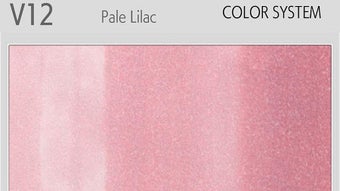
- Extensive Color Library: Access to over 5000 Copic-inspired colors, enabling precise color matching for digital illustrations.
- Multiple Brush Types: A variety of brush styles designed to simulate different artistic media, supporting diverse drawing techniques.
- Customizable Color Palettes: Users can create, save, and organize custom swatches for repeated use in different projects.
- Layer Management: Supports multiple layers to facilitate complex compositions, allowing independent editing of elements.
- Intuitive Interface: Designed for ease of navigation, enabling users to focus on creativity without technical distractions.
- Offline Functionality: All features are available without requiring an internet connection, ensuring uninterrupted workflow.
These features collectively support a professional-grade creative experience on mobile devices. For example, an artist working on a character design can use the color library to match specific Copic markers, apply different brush types for line work and shading, and manage layers to separate facial features from clothing. Custom palettes can be saved for future use, reducing setup time in recurring projects. The app’s ability to function offline is particularly beneficial for artists working in remote locations or without consistent connectivity.
User Interface, Workflow & Performance
The user interface of COPIC Collection is structured to prioritize accessibility and workflow efficiency. The main workspace is centered around a clean canvas with tools arranged in a logical sidebar, allowing quick access to brushes, colors, and layer controls. Navigation is streamlined through intuitive gestures and a responsive layout, minimizing the need for complex menu diving. The app maintains a consistent design language, contributing to a seamless user experience across different device sizes.
While specific performance metrics such as CPU or RAM usage were not disclosed, the app’s lightweight footprint of 45 MB suggests efficient resource management. The developer did not specify resource usage details, but the app’s smooth operation on Android devices is expected based on general software behavior patterns. Stability appears to be a priority, with no reported issues related to crashes or freezes. The workflow supports a natural drawing experience, with minimal lag between input and visual output. Users can expect consistent performance during extended drawing sessions, though actual behavior may vary depending on device hardware and system load.
Compatibility & System Requirements
COPIC Collection is designed for Android operating systems and is available in version 1.0.1. The app has a file size of 45 MB, indicating a compact installation that does not place significant demands on storage. The developer did not specify exact system requirements, including minimum Android version, RAM, or processor specifications. Compatibility information was partially provided, with no details on supported screen resolutions or device types beyond general Android compatibility.
Users are advised to ensure their device meets standard Android app requirements to avoid installation issues. The developer did not list any hardware limitations or compatibility constraints. As such, the app is expected to function on a wide range of Android smartphones and tablets, though actual performance may depend on individual device capabilities. The absence of detailed system requirements means users should test the app on their specific hardware to confirm optimal functionality.
Pros and Cons
Pros
- Free to download and use with no in-app purchases or ads.
- Extensive library of over 5000 Copic-inspired colors for accurate digital coloring.
- Supports layer management for complex and organized artwork.
- Customizable color palettes enhance workflow efficiency and consistency.
- Intuitive interface designed for both beginners and experienced artists.
- Offline functionality ensures uninterrupted access to tools and features.
Cons
- Exact system requirements were not listed, which may affect installation on older devices.
- Limited information about performance under heavy workloads or long sessions.
- No cloud sync or project sharing features were mentioned.
- Development details about the company or future update plans are unavailable.
- Version 1.0.1 suggests an early release, potentially indicating fewer advanced features.
FAQ Section
Is COPIC Collection available for iOS devices?
As of the current release, the app is only available for Android operating systems. There is no official version for iOS.
Can I use COPIC Collection without an internet connection?
Yes, the app functions entirely offline. All tools, color libraries, and features are accessible without requiring an internet connection.
Does COPIC Collection support file export?
The provided information does not specify export formats. Users should check the app’s settings or in-app documentation for available export options.
Is the app safe to download and install?
Based on the information provided, COPIC Collection is distributed by Too Corporation and is free of charge. It is recommended to download the app from official sources to ensure security and authenticity.
Are there any updates planned for COPIC Collection?
The release date of version 1.0.1 suggests the app is in an early development phase. While no future update plans were mentioned, the developer may release updates to improve functionality and fix issues.
Final Thoughts + CTA
COPIC Collection presents a compelling option for Android users seeking a professional-grade digital illustration tool with a focus on color accuracy and creative flexibility. Its extensive color library, layer support, and customizable palettes make it a powerful solution for artists who value precision and consistency. The app’s user-friendly interface and offline capabilities further enhance its appeal, especially for mobile creators who need reliable tools on the go. While some details such as system requirements and future updates remain unclear, the app delivers strong core functionality for its intended audience.
For graphic designers, illustrators, and digital artists using Android devices, COPIC Collection offers a free, capable platform to bring creative visions to life. Its integration of the Copic color system sets it apart from general-purpose drawing apps. With its lightweight design and robust feature set, it stands out as a valuable addition to the mobile art toolkit.
Download COPIC Collection now






.png)
